AI-powered applications are quickly becoming user expectations rather than competitive advantages. Users now assume that software will understand what they mean, not just what they type, and that it will adapt to their context rather than forcing them to adapt to rigid interfaces. Products that still rely entirely on rule-based logic are losing ground to those that surface intelligent suggestions, generate personalized content, and handle complex requests in plain language. The question most product teams are asking is no longer whether to add AI, but how to add it properly.
Understanding how to integrate generative AI into your app involves far more than connecting an API and displaying a response. It requires deliberate architecture planning, model selection aligned to your use case, prompt engineering that produces reliable output, a user experience built around how AI actually behaves, and security and cost controls that hold up under production load. This guide walks through every layer of that process, from identifying the right AI capability for your product through deployment, monitoring, and ongoing optimization.
Why Are Businesses Integrating Generative AI Into Applications?
How user expectations are changing
Users who interact with AI-powered consumer products every day arrive in your application with elevated expectations. They expect your search to understand intent, your support interface to answer questions rather than retrieve documents, and your content tools to generate a first draft rather than display a blank input field. These expectations are not niche preferences. They represent a shift in the baseline standard for what good software feels like.
Generative AI enables conversational interfaces, contextual personalization, and intelligent automation that would previously have required large specialized teams to build and maintain. The products that integrate these capabilities into their core user journeys, rather than bolting them on as an extra feature, are the ones building durable product differentiation.
Business value beyond automation
The business case for AI integration extends well beyond task automation. Applications that use generative AI to improve personalization and decision support see higher user engagement and retention, which compounds into revenue growth over time. Teams building AI into their products also shorten development cycles for content-heavy features, reduce support load through better self-service, and create new product capabilities that open adjacent market opportunities.
Understanding the full financial picture before you build is worth the time. The measurable business outcomes that well-implemented AI integration delivers are covered in depth in our guide on what is the main ROI of integrating generative AI.
What Should You Plan Before Integrating Generative AI Into Your App?
Identify user problems
The most reliable AI integration decisions start with a specific user problem rather than a technology capability. Where are users spending time on tasks that feel repetitive or tedious? Where do they abandon workflows because the cognitive load is too high? Where are they asking your support team questions that your product’s interface should be answering directly? These friction points are where AI delivers visible, measurable improvements rather than incremental novelty.
Define business objectives
Translate user problems into business KPIs before selecting a model or writing a prompt. AI integration tied to engagement rate, retention, support ticket reduction, content output volume, or feature adoption rate produces deployment decisions that are easier to evaluate and optimize. Without defined objectives, you cannot assess whether the integration is working well enough to justify the ongoing cost.
Determine AI capabilities
Different user problems require different AI capabilities, and selecting the right one determines both implementation complexity and output quality. Text generation and summarization handle content and communication tasks. Classification and entity extraction power routing, tagging, and search relevance. Recommendation engines drive personalized content and product discovery. Image generation supports creative workflows. Mapping the right capability to each user problem before evaluating specific models saves significant rework later.
Assess existing architecture
AI integration connects to your frontend, backend, APIs, and data infrastructure, which means any gaps or constraints in your existing architecture affect what you can build and how quickly.
How Do You Integrate Generative AI Into an Application?
This is the core implementation framework. Each decision in this section shapes how your AI feature performs in production.
Choose the right large language model
Model selection is the first major architectural decision, and it affects cost, latency, output quality, and data residency throughout the lifetime of the feature. OpenAI’s GPT-5.5 and related frontier models perform well across a wide range of tasks, with strong reasoning, instruction-following, and generation quality for most commercial use cases.
Evaluate models against your specific requirements rather than benchmark rankings. A model that scores highest on general evaluations but introduces 800ms of latency into a real-time user interaction is the wrong choice for that feature, even if it is technically superior. The probabilistic nature of how these models generate responses is also worth understanding before deployment, which our article on why stochastic modeling is integral to generative AI functionality explains in more detail.
Design API integration
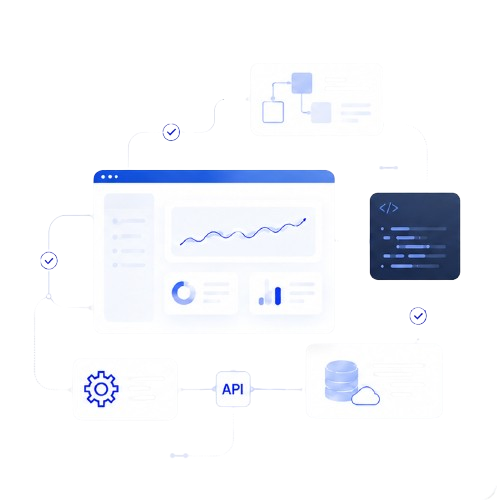
The API integration layer is the architectural connection between your application and the AI model. Most production integrations route requests through an API gateway that handles authentication, request validation, rate limiting, and logging before the request reaches the model. Middleware transforms your application’s data into the format the model expects and translates the model’s response into whatever structure your frontend or downstream services need.
Orchestration design matters particularly for multi-step AI workflows, where one model response feeds the next stage of processing. Keeping this orchestration logic in a dedicated service layer rather than scattering it through your application code makes it significantly easier to update, monitor, and debug as the integration evolves.
Implement prompt engineering
Prompt engineering is where the quality of your AI feature is primarily determined. The system prompt defines the model’s role, behavioral constraints, and response format, and it runs with every request. User prompts carry the specific input from your application’s context, whether that is a user’s typed query, a document summary request, or a structured data payload the model should analyze.
Maintaining a prompt library, a documented set of tested, versioned prompts for each feature, is the operational practice that keeps output quality consistent as your product scales and team members change. Prompts that work well now may need adjustment when the model is updated or when your data structure changes, so version control on prompts is as important as version control on code.
Implement retrieval-augmented generation
For any AI feature that should answer questions about your specific product, policies, documentation, or customer data, RAG is the architecture that makes those answers reliable. Rather than relying on what the model learned during training, RAG retrieves the relevant content from your own knowledge base and injects it into the model’s context before generation. The model answers based on your actual data rather than a generalized approximation of it.
Fine-tuning vs prompt engineering
Fine-tuning trains a model on your specific data to improve performance on domain-specific tasks, while prompt engineering shapes model behavior through structured instructions without changing the underlying model. For most application integrations, prompt engineering combined with RAG delivers enough performance improvement to avoid the cost and operational overhead of fine-tuning.
Design the user experience
AI integration requires different UX thinking than standard feature development. Users interacting with generative AI need to understand what the AI can and cannot do, see clear indicators when the AI is processing, and have mechanisms to provide feedback when output is incorrect. Transparency about the AI’s role builds trust and sets appropriate expectations, both of which improve user engagement with the feature.
Error handling deserves as much design attention as the happy path. What happens when the model returns a response that does not match the expected format? What happens when latency spikes? A well-designed fallback, whether that is a cached response, a simplified alternative, or a graceful failure message, determines whether a bad model response becomes a frustrating user experience or a minor inconvenience.
Deploy securely
Deployment architecture should include comprehensive logging of inputs and outputs so you can audit model behavior, debug issues, and track performance changes over time. Version control on models and prompts allows you to roll back to a known good state when an update degrades output quality.
Planning to Integrate Generative AI Into Your Application?
Successful implementation requires architecture planning, secure integrations, workflow design, governance, optimization, and continuous monitoring after launch. Our Generative AI Integration Services help development teams build AI features that work reliably in production rather than stalling at the proof-of-concept stage.
How Can Different Types of Applications Use Generative AI?
SaaS products
SaaS is the highest-value application category for generative AI integration. Copilot features that draft content, summarize activity, or suggest next actions are now a standard differentiator across productivity, CRM, and workflow SaaS tools. For teams asking specifically how to integrate generative AI into SaaS products, the key architectural decision is whether to build AI as a native workflow layer or expose it through a separate AI panel, since the former consistently drives higher adoption and retention.
Mobile applications
Mobile AI integration faces tighter constraints around latency, battery consumption, and screen real estate for AI-generated output. Streaming responses that render text progressively rather than waiting for the full completion significantly improve perceived performance on mobile. Cloud-hosted models accessed via API remain the most practical approach for most mobile use cases, with on-device models appropriate only for specific scenarios where offline functionality or data privacy requirements justify the trade-offs.
Enterprise applications
Enterprise AI integration typically involves connecting to proprietary internal data through RAG, implementing role-based access controls to prevent AI from surfacing content outside a user’s permission scope, and meeting audit requirements through comprehensive logging. These requirements make enterprise AI integration more complex than consumer applications, but the productivity gains at scale also make it the highest-ROI category for most organizations.
Customer support platforms
Support applications benefit most immediately from generative AI through response drafting, ticket summarization, knowledge base search, and automated resolution of common queries. The pattern that consistently delivers the best results is AI-assisted rather than fully autonomous, where the model drafts and the agent approves before any message reaches the customer.
Knowledge management applications
Knowledge management tools, including internal wikis, documentation platforms, and enterprise search, are natural homes for RAG-based generative AI. AI that can answer natural language questions against an organization’s entire document library delivers immediate, measurable productivity gains for the employees who use it daily.
Creative applications
Creative tools including writing assistants, image generation interfaces, design aids, and ideation platforms all integrate generative AI as a core capability rather than a supporting feature. Image generation integrated through a private API can be embedded into creative workflows to generate assets without exposing source data to public model training pipelines, which matters for organizations working on unreleased brand or product visual assets.
What Advanced AI Features Can Be Added to Applications?
Conversational assistants
Conversational AI requires session management to maintain context across multiple turns, intent detection to route different request types to the right handling logic, and fallback design for queries the model cannot reliably answer. Building a reliable conversational assistant involves more orchestration than a single-turn generation feature, but the user experience improvement for complex workflows justifies the additional engineering investment.
AI image generation
Image generation connected through a private chat API allows applications to generate visual content within a secure, authenticated context rather than through a public consumer endpoint. This matters for product teams building features that generate branded or proprietary visual assets, where routing generation through a private API keeps inputs and outputs inside a governed infrastructure environment.
Content generation
Content generation features, covering copy suggestions, summarization, translation, and document drafting, benefit from strict output format constraints enforced through prompt design and output validation. Defining exactly what structure the model should return, and validating that it returns it, prevents formatting inconsistencies that damage the user experience.
Document understanding
Document understanding connects the model to PDF, spreadsheet, and unstructured text inputs, enabling features like contract summarization, invoice data extraction, and policy question answering. RAG is the standard architecture for this capability, with documents chunked, embedded, and indexed before they enter the retrieval pipeline.
Recommendations
Recommendation features powered by generative AI go beyond collaborative filtering to incorporate natural language understanding of user preferences. A user describing what they are looking for in conversational terms can receive recommendations that match intent and context rather than just behavioral history, which produces measurably better outcomes for discovery-oriented product experiences.
Multimodal AI
Multimodal models process text, images, and increasingly audio inputs within the same request, opening application features that combine content types in a single interaction. As video understanding matures, multimodal integration will expand further, but text and image combinations are already production-ready and well-supported across major model providers.
What Security, Privacy, and Cost Considerations Matter?
Data privacy
Any user data sent to a third-party model API must be handled under clear data processing agreements that specify whether inputs are used for model training, how long they are retained, and where they are stored. Applications handling sensitive personal, financial, or medical data should evaluate self-hosted model options or providers with zero-data-retention API agreements before sending that data to any external endpoint.
Security
Prompt injection, where malicious input in a user request attempts to override system prompt instructions, is the most common AI-specific attack vector in application integrations. Input sanitization, strict system prompt design, and output validation before content is rendered in the UI are the standard defenses. API key management, rotation policies, and server-side key storage rather than client-side exposure are baseline requirements.
Cost optimization
LLM pricing based on token volume means that a traffic spike can produce an equally sharp cost spike without proper controls in place. Token budgets per request, response caching for repeated queries, rate limiting at the user and session level, and model routing that sends simple requests to lower-cost models while reserving expensive models for complex tasks all contribute to keeping cost-per-request predictable at scale.
Rate limiting
Rate limiting protects both your API budget and your model infrastructure from overload. Implement rate limits at the user, session, and organization level for multi-tenant applications, and build queue-based request handling for features that can tolerate brief delays rather than failing loudly under high load.
Cloud deployment
AWS, Google Cloud AI, and Azure AI each offer managed AI infrastructure with built-in scaling, monitoring, and compliance tooling. The right platform depends on where your existing infrastructure lives, since keeping AI infrastructure colocated with your application backend reduces latency and simplifies network security design.
Monitoring AI performance
AI performance monitoring requires tracking both technical metrics, including latency, error rates, and token consumption, and quality metrics, including output relevance, user satisfaction signals, and hallucination detection. Models can drift in output quality after updates, and user behavior patterns can shift in ways that cause previously reliable prompts to underperform. Continuous monitoring catches these changes before they significantly damage the user experience.
What Common Mistakes Should Developers Avoid?
Poor prompt design
Prompts written without explicit output format constraints, clear role definitions, or behavioral limits produce inconsistent outputs that are unpredictable at scale. The business impact is user-facing quality degradation that erodes trust in the AI feature. The mitigation is investing in prompt design upfront, maintaining a prompt library, and testing across a representative sample of real user inputs before launch.
Ignoring user experience
Building the AI capability without equal investment in how users interact with it produces features that technically work but users do not adopt. The business impact is low engagement with the AI feature despite the investment in building it. The mitigation is treating AI interaction design as a distinct UX discipline with its own research, prototyping, and testing process.
No fallback mechanisms
AI-powered features that fail without a graceful fallback create blocking errors in user workflows. The business impact is trust damage that is disproportionate to the technical failure, since users who encounter an AI failure often generalize it to a negative perception of the product overall. Build fallbacks into every AI feature at the architecture stage rather than adding them reactively after incidents.
Weak security
Insufficiently secured AI integrations expose API keys, allow prompt injection, and fail to enforce data access boundaries in multi-tenant applications. The business impact ranges from unexpected API cost from unauthorized usage to data breaches involving other users’ content. Security design for AI features must be part of the initial architecture review, not a post-launch audit.
Poor cost management
Deploying AI features without per-user token budgets, request caching, or cost monitoring produces billing surprises that can be orders of magnitude larger than planned. The business impact is operational cost that undermines the economics of the feature. Implement cost controls before launch and monitor cost-per-request from day one.
Lack of monitoring
AI features launched without ongoing monitoring degrade silently as model versions update, data patterns shift, and user behavior evolves in ways that affect prompt performance. The business impact is declining output quality that users experience before the team is aware of it. Monitoring AI features is an ongoing operational responsibility, not an option.
What Best Practices Lead to Successful AI-Powered Applications?
Start with a phased rollout targeting a single well-defined feature rather than deploying AI across multiple workflows simultaneously. A focused first feature produces clean performance data, builds internal expertise, and demonstrates value to stakeholders before the scope expands.
Plan for scalability in the architecture from day one, since re-architecting a feature that has scaled unexpectedly is significantly more expensive than building scalability in upfront. AI integration in education and institutional settings follows a similar discipline around governance and stakeholder alignment, as explored in the broader debate around should schools ban or integrate generative AI in the classroom.
Frequently Asked Questions
Can I integrate generative AI into an existing application?
Yes, and this is the most common starting point for most development teams. The integration path depends on your existing API infrastructure and data architecture. Most existing applications can add AI features through backend API calls to a model provider without requiring a full rebuild, though legacy systems without modern API layers may need a middleware adapter layer first.
Do I need to train my own AI model?
In most cases, no. Pre-trained models accessed through APIs deliver strong performance for the majority of commercial application use cases, and RAG provides the factual grounding on your specific data that makes outputs relevant without model training. Fine-tuning is appropriate for specialized domain tasks where prompt engineering has reached its performance ceiling, but it adds operational overhead that is rarely justified as a starting point.
Which APIs are commonly used for AI integration?
OpenAI’s API is the most widely deployed for text generation, summarization, and conversational features. Google Cloud AI and Azure AI provide managed AI services that integrate tightly with their respective cloud ecosystems. Hugging Face provides API access to a wide range of open-source models for teams that need more control over model selection and deployment.
How expensive is AI integration?
Cost depends on model selection, request volume, token usage per request, and caching implementation. API-based integration with a major provider starts accessible for low-volume applications but scales in cost with usage. Implementing token budgets, response caching, and model routing between tiers controls costs at scale. Total cost of ownership also includes hosting, monitoring tooling, and engineering time for ongoing maintenance.
Can AI work offline inside an application?
On-device models enable offline AI functionality for specific, constrained tasks, but they require significantly more engineering investment and are limited by device hardware compared to cloud-hosted models. For most application use cases, online model access through a well-architected API integration with appropriate caching is a more practical approach than offline deployment.
How should I secure AI-powered applications?
Store API keys server-side and rotate them regularly. Sanitize all user inputs before they reach the model to mitigate prompt injection. Enforce data access controls so that users cannot retrieve content outside their permission scope through AI queries. Log all inputs and outputs for auditing. Apply rate limiting to protect both cost and infrastructure from misuse.
Final Takeaways
Integrating generative AI into an application is an architecture project as much as a feature project.
When your team is ready to move from planning to a production-ready AI integration, our team can help you design and implement an architecture that scales reliably from day one.