Every business wants AI, but few integrate it correctly. Most teams connect a model to a workflow, call it done, and wonder why adoption stalls or outputs disappoint. The gap between experimenting with AI and running it reliably in production is where most projects actually fail.
This guide covers how to integrate generative AI the right way, from planning and model selection to APIs, infrastructure, deployment, and governance. You will learn how to audit existing systems, choose the right model for your use case, build secure integrations, and avoid the mistakes that derail most generative AI projects before they scale.
Why Is Generative AI Integration More Than Connecting an API?
What does generative AI integration actually mean?
Generative AI integration means embedding an AI model directly into your existing software, not just running it as a separate chatbot on the side. It touches your workflow automation, your decision support systems, and the tools your team already uses every day.
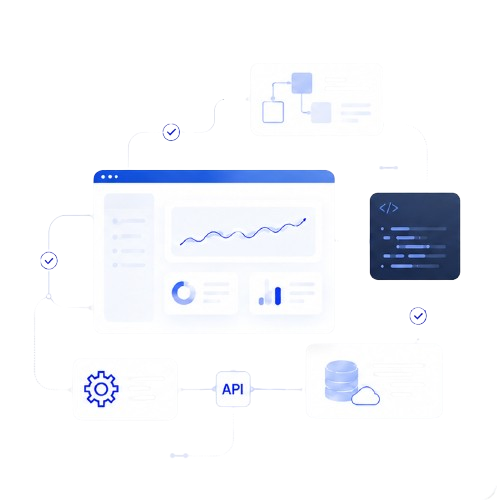
At a technical level, this involves API integration to connect the model to your systems, machine learning to power predictions and generation, and natural language processing to interpret and respond to human input accurately. Done well, the AI becomes invisible infrastructure rather than an extra app.
Why businesses are moving beyond AI experimentation
Testing a chatbot in a sandbox is easy. Running it against real customer data, real compliance requirements, and real uptime expectations is a different problem entirely.
Businesses that treat generative AI as a permanent operational layer see measurable gains in productivity and operational efficiency. Those that keep it isolated in pilot programs rarely see it translate into a lasting competitive advantage. The difference between experimentation and production deployment comes down to reliability, monitoring, and how deeply the AI is wired into daily operations rather than how advanced the underlying model is.
Which Steps Are Part of the Integration Process of Generative AI?
This is the core of any generative AI integration project. Skipping steps here is usually what causes expensive rework later.
Identify business problems before selecting AI
Start with the problem, not the technology. Look for repetitive work that consumes hours every week: document processing, customer support tickets, content generation, internal search, or manual analytics reporting. These are the areas where generative AI tends to deliver the fastest, most visible return.
Define measurable business objectives
Vague goals like “use more AI” lead to vague results. Set specific KPIs before you build anything. Common targets include response time reduction, cost per resolved ticket, output volume per employee, and customer satisfaction scores. These numbers give you a way to prove the integration actually worked.
Audit your existing systems
Before choosing a model, map what you already have. This means reviewing your CRM, ERP, CMS, internal SaaS platforms, and any legacy databases that will need to connect to the new AI layer. Weak points here, like inconsistent data formats or systems with no API access, will define your integration strategy more than the AI model itself.
Choose the right generative AI model
Not every model fits every use case. OpenAI’s GPT-5 and similar frontier models handle broad reasoning and complex language tasks well, while open-source models from Hugging Face give you more control over hosting, fine-tuning, and cost.
Weigh each option against latency requirements, total cost at your expected volume, how much customization you need, security and data residency requirements, and whether you want a hosted API or self-managed infrastructure. A customer support tool answering simple FAQs has very different requirements than a legal document analyzer processing sensitive contracts.
Prepare high-quality data
Generative AI is only as useful as the data feeding it. This means cleaning structured data from your databases, organizing unstructured data like PDFs and emails, and building a proper knowledge base the model can reference. Data pipeline design also has to account for permissions, so the AI never surfaces information a user shouldn’t see.
Design prompts and workflows
Prompt engineering is where a lot of integration quality is won or lost. A good prompt gives the model clear context, a defined role, and explicit constraints. A bad prompt is vague, open-ended, and leaves too much room for the model to guess.
Separate your system prompts, which define how the AI should behave overall, from user prompts, which carry the specific request. Strong context management keeps the model grounded in your actual business data instead of drifting into generic answers.
Build API integrations
This is the technical backbone of the project. Most integrations rely on REST APIs and vendor SDKs to connect the model to your existing software, with authentication layers controlling access and middleware handling data transformation between systems.
Python remains the standard language for this work, and frameworks like LangChain simplify how you chain prompts, tools, and data sources together into a single working pipeline.
Need Help Integrating Generative AI Into Your Business?
Successful AI integration requires more than picking a model. It takes architecture planning, secure implementation, workflow automation, governance, and ongoing optimization after launch. If you want an experienced team handling the technical heavy lifting, our Generative AI Integration Services cover the full process from planning through deployment.
Test before production deployment
Never push a generative AI feature live without thorough testing. Check for hallucinations, where the model generates confident but incorrect information. Run edge cases that reflect unusual but realistic user behavior. Include regression testing after every update, and run security testing to confirm the AI cannot be manipulated into leaking data or bypassing controls.
Deploy and monitor continuously
Model deployment is not a one-time event. Once live, you need ongoing monitoring and logging to catch issues early, version control to track changes to prompts and models, and feedback loops that feed real user interactions back into continuous optimization.
How Do Businesses Integrate Generative AI Into Existing Workflows?
Enterprise workflow integration looks different depending on the department, but the underlying pattern stays consistent: connect the model to real data, then automate a specific task.
Customer support
AI handles first-response drafting, ticket summarization, and routing based on intent, reducing resolution time for common issues.
Marketing workflows
Teams use generative AI for campaign copy, content variations, and audience segmentation drafts that a human editor then refines.
Sales automation
AI can draft outreach emails, summarize call transcripts, and generate account research briefs before a rep even opens the CRM.
HR
Common use cases include resume screening support, interview question generation, and drafting internal policy documents.
Finance
AI assists with extracting data from invoices and contracts, flagging anomalies, and drafting financial summaries for review.
Legal
Contract review, clause comparison, and first-draft document generation are common, always with a lawyer reviewing final output.
Operations
Generative AI supports report generation, process documentation, and summarizing operational data across departments.
Knowledge management
This is where retrieval-augmented generation, or RAG, becomes essential. RAG combines document retrieval with generation, so the AI pulls facts from your actual internal knowledge base rather than relying purely on what it learned during training. This is how most reliable internal AI assistants are built today.
How Can You Integrate Generative AI Into Existing Systems?
CRM, ERP, and CMS platforms
Most core business systems now support API-level or native AI extensions, letting generative AI draft records, summarize activity, and surface insights without leaving the platform. Connecting AI to a CRM specifically involves its own set of considerations around lead data and sales process design, which we cover in a separate guide on how to integrate generative AI into existing enterprise CRM systems.
Document management systems
Generative AI improves document workflows by automating classification, summarization, and extraction of key data points from large file volumes.
Legacy software
Older systems without modern APIs are the hardest integration challenge. These often require middleware layers or robotic process automation to bridge the gap between legacy infrastructure and a modern AI model.
Connecting generative AI to a specific mobile, web, or SaaS application involves its own frontend, backend, and authentication decisions. We break that process down separately in our guide on how to integrate generative AI into my app.
How Should You Choose a Generative AI Service for Workflow Integration?
Technical evaluation should go beyond which model scores highest on benchmarks.
Accuracy
Test the model against your actual use case and real data, not generic demos.
Latency
Customer-facing features need fast response times. Internal batch processing can tolerate more delay.
Pricing
Understand cost per token or per request at your expected volume, not just the advertised rate.
Security
Confirm how data is handled, stored, and whether it is used for further model training.
Compliance
Industries like healthcare and finance need models and vendors that meet specific regulatory requirements.
Customization
Check whether the provider supports fine-tuning or if you are limited to prompt-based customization only.
Fine-tuning
Fine-tuning improves performance on domain-specific tasks but adds cost and maintenance overhead.
Cloud support
Most enterprise deployments run through AWS, Microsoft Azure, or Google Cloud, each offering different pricing models and native AI service integrations worth comparing before you commit.
What Common Challenges Should You Prepare For?
Data privacy
Sending sensitive data to a third-party model creates exposure risk. Mitigate this with data anonymization and clear vendor data handling agreements.
AI ethics
Biased outputs can damage trust and create liability. Regular output audits help catch and correct these issues early.
Hallucinations
Models can generate confident, false information. RAG and strict fact-checking workflows reduce this risk significantly.
Model drift
Performance can degrade over time as real-world data shifts. Continuous monitoring catches drift before it affects users.
Security risks
Poorly secured integrations can leak data or be manipulated through prompt injection. Strong authentication and input validation are essential.
Governance
Without clear ownership and policies, AI usage becomes inconsistent across teams. A governance framework keeps usage aligned with company standards.
Cost control
Usage can scale unpredictably. Set usage caps and monitor spend closely, especially during early rollout phases.
What Best Practices Lead to Successful Generative AI Integration?
Start with small pilot projects rather than a company-wide rollout on day one. Use an incremental rollout strategy so each phase builds on validated results from the last. Put governance and documentation in place before scaling, not after problems appear.
Continuous monitoring should track both technical performance and business outcomes. Invest in employee training so teams understand how to work with the AI, not around it. Keep human oversight on any high-stakes decision. Maintain prompt libraries so effective prompts get reused instead of reinvented, and use model versioning to track changes over time.
Frequently Asked Questions
How long does it take to integrate generative AI?
Timelines vary based on complexity, but a focused pilot project can launch in four to eight weeks. Full enterprise integration across multiple systems typically takes several months, especially when legacy software is involved.
Can small businesses integrate generative AI?
Yes. Small businesses often move faster than large enterprises because they have fewer legacy systems and approval layers. Starting with one high-impact workflow, like customer support or content generation, keeps costs manageable.
Do I need developers to integrate generative AI?
For basic use cases, some no-code and low-code AI tools work without developers. But integrating AI into existing systems, custom apps, or workflows with sensitive data almost always requires development resources.
Can I integrate generative AI into existing enterprise workflows?
Yes, and this is where most of the value lives. The key is auditing your current systems first, then connecting AI through APIs rather than replacing tools your team already relies on.
What is the biggest challenge when integrating generative AI?
Data readiness is usually the biggest bottleneck. Many organizations underestimate how much time cleaning, structuring, and securing data takes before a model can use it reliably.
Can generative AI be integrated into SaaS products?
Yes. SaaS integration typically happens through backend API calls combined with frontend interfaces for chat, suggestions, or content generation, with authentication controlling access at the account level.
Final Takeaways
Successful generative AI integration comes down to disciplined planning, not just picking a powerful model. It requires a clear architecture, well-designed workflows, secure APIs, strong governance, careful deployment, and continuous optimization after launch. Businesses that skip these steps end up with AI features that impress in a demo but fail in daily use.
Before you implement anything, take time to evaluate your existing systems and data readiness. We recommend a phased integration strategy over deploying AI across every workflow at once, since this gives you room to learn, adjust, and prove value before scaling further. When you are ready to move from planning to execution, our team can help you build an integration that actually holds up in production.