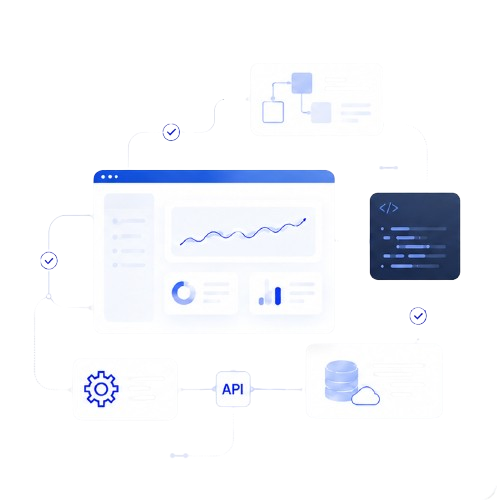
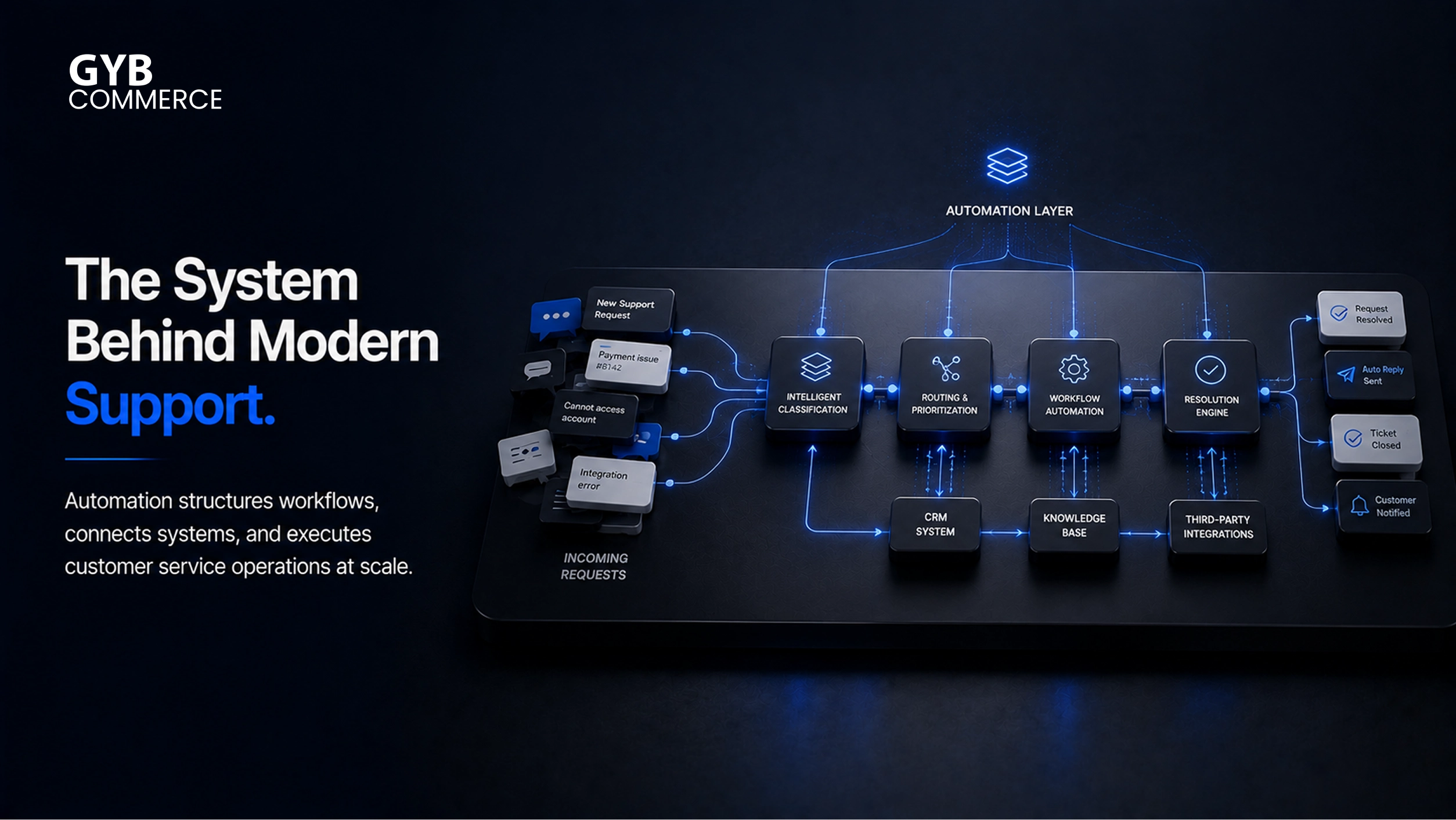
Customer service has shifted from manual handling to system-driven execution. Automation now defines how requests are processed, routed, and resolved. It removes delays, enforces structure, and ensures consistency across every interaction. Instead of relying on agents for every step, businesses use automation to manage workflows end to end.
Table of Contents
Automation as the Backbone of Customer Service Operations
From Reactive Support to Structured Workflows
Customer service used to depend on agents reacting to incoming requests. This created delays and inconsistent handling. Automation replaces this with predefined workflows that guide every interaction.
Each request follows a clear path. It gets logged, categorized, and routed automatically. This removes guesswork and ensures every customer receives a consistent experience.
Connecting Systems into a Unified Service Layer
Automation works across systems like CRM platforms, ticketing systems, and communication channels. It connects them into one unified layer.
When a customer reaches out, the system pulls data instantly. This includes past interactions and preferences. As a result, responses become faster and more accurate. Advanced customer service automation solutions turn this theory into reality.
Eliminating Silos in Customer Service
Without automation, systems operate in isolation. Data sits in different tools, and agents must switch between them. This slows down service.
Automation bridges these gaps. It ensures data flows smoothly between systems. This creates a single source of truth for every interaction.
Automation as the Execution Engine
Turning Requests into Immediate Actions
Automation does more than respond. It executes tasks in real time. When a request is received, the system triggers actions instantly.
It assigns priority, routes the request, and initiates resolution steps. This reduces waiting time and improves overall efficiency.
Real-Time Processing of Customer Interactions
Manual systems rely on queues. Automation removes this dependency. Requests are processed the moment they arrive.
The system analyzes intent and starts the workflow immediately. This ensures customers receive faster responses without delays.
Handling High Volumes Without Breaking Systems
As businesses grow, support volume increases. Manual processes cannot keep up. Automation allows systems to handle thousands of requests at once.
This ensures stability during peak demand. Service quality remains consistent even when interaction volume spikes.
Standardizing Service Delivery
Different agents often handle similar issues differently. This leads to inconsistent experiences. Automation solves this by enforcing standard workflows.
Every request follows the same logic. This improves reliability and makes service outcomes predictable.
Core Technologies Behind Customer Service Automation
Conversational AI and Natural Language Processing
Conversational AI enables systems to understand customer queries. Natural language processing helps interpret intent and context.
This powers chatbots and virtual assistants. They handle initial interactions and reduce the load on support teams.
Machine Learning for Smarter Decisions
Machine learning improves automation over time. It analyzes past interactions and refines decision-making.
This helps in better routing, accurate responses, and improved personalization. Systems become more effective as they process more data.
Ticketing and Case Management Systems
Ticketing systems organize customer requests. Automation logs and categorizes each interaction automatically.
Case management systems handle complex issues. They ensure multi-step processes are completed without errors.
CRM Systems and Data Utilization
CRM systems store customer data. Automation uses this data to provide context-aware responses.
This reduces repetition for customers. It also enables personalized service based on past behavior.
Workflow Engines and Process Orchestration
Workflow engines define how tasks are executed. They manage triggers, conditions, and actions.
Process orchestration ensures multiple systems work together. It enables seamless execution of complex workflows.
Process Automation Platforms as the Foundation
Process automation platforms provide the infrastructure for automation. They allow businesses to design and manage workflows.
These platforms support scalability. As needs change, workflows can be updated without disrupting operations.
Check which CPaaS platforms offer tools for customer service automation to support this.
Automation’s Impact on Efficiency and Cost Reduction
Reducing Manual Workload Across Support Teams
Automation removes repetitive tasks from daily operations. Agents no longer need to handle routine queries or basic data entry. These tasks are executed automatically through predefined workflows.
This reduction in manual effort allows teams to focus on complex issues. It also improves productivity without increasing headcount. This execution clearly highlights the advantages of automated customer service.
Lowering Operational Costs Without Compromising Service
One of the most direct outcomes of automation is cost reduction. Businesses no longer need large teams to handle high volumes of simple requests.
Automation handles these interactions at scale. This reduces staffing costs while maintaining service quality. Over time, this creates a more sustainable support model.
Improving First Response and Resolution Time
Speed is critical in customer service. Automation ensures that every request is acknowledged and processed instantly.
Requests are routed to the right system or agent without delay. This improves both first response time and overall resolution time. Faster service leads to higher customer satisfaction.
Increasing Throughput Without Increasing Resources
Automation allows businesses to handle more requests with the same resources. Systems can process multiple interactions simultaneously.
This increases throughput without adding operational strain. It ensures that growth in demand does not impact service performance.
Automation’s Role in Enhancing Customer Experience
Delivering Instant and Always-On Support
Customers expect support at any time. Automation enables 24/7 service through chatbots and automated systems.
These systems respond instantly. They ensure that customers receive assistance regardless of time zones or business hours.
Enabling Personalized Customer Interactions
Automation uses customer data to tailor interactions. Responses are based on history, preferences, and behavior.
This creates a more relevant experience. Customers feel understood, which improves engagement and satisfaction.
Ensuring Consistency Across Channels
Customers interact through multiple channels. Automation ensures that service remains consistent across all of them.
Whether it is email, chat, or social media, the experience follows the same logic. This builds trust and reliability.
Empowering Self-Service Capabilities
Many customers prefer solving issues on their own. Automation supports this through self-service portals and knowledge bases.
Customers can access information instantly. This reduces dependency on agents and speeds up resolution.
Automation in Real-World Customer Service Use Cases
Intelligent Ticket Routing and Prioritization
Automation analyzes incoming requests and assigns them based on priority and complexity. High-value or urgent issues are routed faster.
This ensures that critical requests are handled without delay. It also reduces manual sorting efforts.
Automated Handling of Routine Inquiries
Common queries such as account status or order updates are handled automatically. Systems provide instant responses without agent involvement.
This frees up resources for more complex tasks. It also improves response time for customers.
Appointment Scheduling and Service Requests
Automation simplifies scheduling by handling bookings and confirmations. Customers can select time slots without interacting with agents.
Service requests follow predefined workflows. This ensures accurate and timely processing.
Feedback Collection and Customer Insights
Automation collects feedback through surveys and follow-ups. These processes run without manual intervention.
The data is analyzed to generate insights. Businesses can identify trends and improve service strategies.
Balancing Automation with Human Support
When Human Intervention Is Necessary
Automation cannot handle every situation. Complex or sensitive issues require human judgment.
Systems are designed to escalate such cases. They pass all relevant data to agents, ensuring smooth transitions.
Creating Hybrid Support Models
The most effective approach combines automation with human support. Automation handles routine tasks, while agents focus on high-value interactions.
This balance improves efficiency and maintains service quality. It ensures that customers receive the right level of support.
Maintaining a Human-Centric Experience
Even with automation, the human element remains important. Customers should feel supported, not processed.
Automation should enhance interactions, not replace them completely. A well-designed system keeps the experience personal and responsive.
Final Takeaways
Automation plays a central role in modern customer service. It structures workflows, executes tasks, and connects systems into a unified operation.
It reduces costs, improves efficiency, and enables scalability. At the same time, it enhances customer experience through speed, consistency, and personalization.
Businesses that implement automation effectively do not just improve support. They build systems that can handle growth, complexity, and evolving customer expectations without breaking.