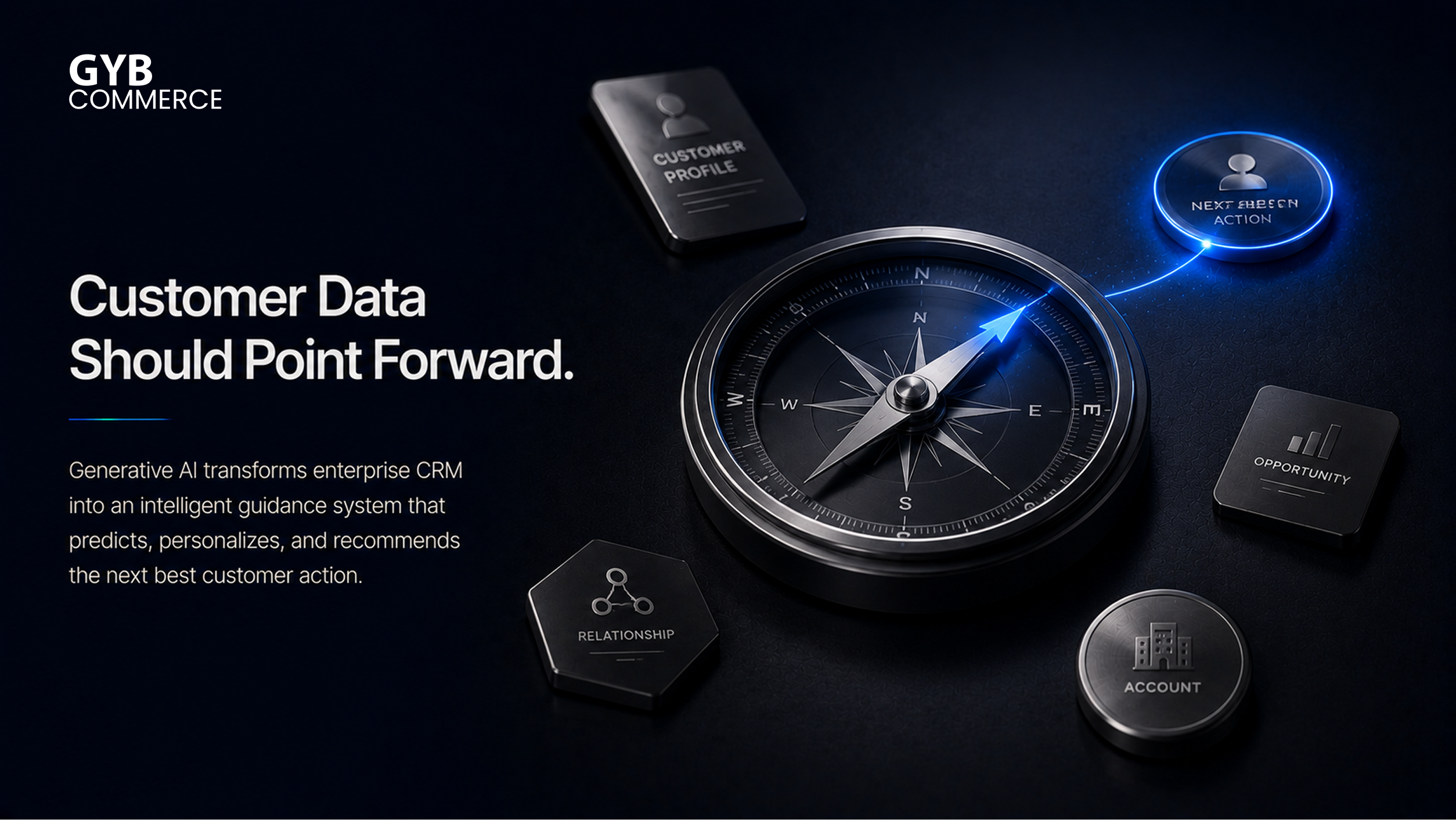
Enterprise CRM systems hold some of the richest customer data in any organization. Yet most businesses are still using that data reactively, pulling reports after the fact, manually drafting follow-ups, and leaving sales reps to sift through records for context before every call. Generative AI changes this entirely, turning your CRM from a passive record system into an active intelligence layer that works alongside your team in real time.
This guide covers how to integrate generative AI into existing enterprise CRM systems from the ground up. You will learn how to assess CRM maturity, design secure API integrations, implement natural language processing and machine learning workflows, meet GDPR and CCPA compliance requirements, and build a phased deployment strategy that delivers lasting results rather than a fragile proof of concept.
Why Should Enterprises Integrate Generative AI Into CRM Systems?
How generative AI changes traditional CRM
Traditional CRM is built around storage and retrieval. Generative AI transforms it into a system that creates, predicts, and personalizes at scale. Sales reps no longer need to draft follow-up emails from scratch. Customer support agents no longer need to read through full ticket histories before responding. The AI reads the context, drafts the output, and surfaces the insight before the human even asks.
The downstream effect on customer engagement is significant. AI-powered CRM can generate contextual recommendations, personalize outreach at the account level, and assist users with intelligent prompts inside the tools they already use. Done well, it drives both productivity and measurable ROI without requiring staff to change their workflows entirely.
Business challenges solved through CRM AI integration
The most common pain points that generative AI addresses inside a CRM are repetitive sales tasks, slow lead qualification, inconsistent marketing automation, knowledge retrieval delays in customer service, and manual sales forecasting. Each of these problems has a direct cost in time and deal velocity. AI integration turns what was a manual bottleneck into an automated or AI-assisted step, freeing your teams to focus on decisions that actually require human judgment.
What Should You Prepare Before Integrating Generative AI Into an Enterprise CRM?
Assess CRM maturity
Before selecting a model or vendor, map your existing CRM workflows in detail. Understand which customizations are active, which third-party integrations are running, and where your data lives. A CRM with fragmented workflows or heavy manual workarounds will need cleanup before AI can operate reliably inside it.
Audit customer data
Generative AI needs clean, well-structured data to produce useful outputs. Audit your customer data for completeness, accuracy, and consistency. If your organization uses a Customer Data Platform, confirm that data is properly unified and permissioned before it touches any AI model. Unstructured data like emails, call transcripts, and support notes also needs to be identified and made accessible through a governed pipeline.
Define business objectives
Map your AI integration goals to specific, measurable outcomes. Do you want faster response times in customer support? Better lead qualification scores? Improved sales productivity per rep? Tying each objective to a KPI before you build anything ensures you can demonstrate value after deployment, which also helps secure continued investment.
Evaluate technical readiness
Assess your existing API landscape, middleware capabilities, cloud infrastructure, authentication protocols, and scalability requirements. CRM AI integration almost always involves connecting multiple systems, so any gaps in your API layer or authentication stack will surface quickly during implementation. Identify these early rather than mid-project.
Which Enterprise CRM Platforms Support Generative AI Integration?
Salesforce
Salesforce is currently the most mature generative AI CRM platform on the market. Einstein Copilot is embedded across Sales Cloud, Service Cloud, and Marketing Cloud, enabling natural language queries against CRM data, AI-generated email drafts, automated meeting summaries, and lead scoring. The Einstein Trust Layer enforces data privacy controls and prevents customer data from being used for external model training. For enterprises building custom AI extensions, Salesforce’s open API ecosystem and the Bring Your Own Model capability give significant flexibility.
Microsoft Dynamics 365
Dynamics 365 Copilot brings generative AI natively into Sales, Customer Service, Customer Insights, and Finance modules. Its deep integration with the Microsoft ecosystem, including Outlook, Teams, and Azure, makes it a strong choice for organizations already running on Microsoft infrastructure. The 2025 Release Wave 2 introduced autonomous AI agents across Sales and Service using the Model Context Protocol, allowing agents to research prospects, score leads, and draft communications with minimal manual input.
Oracle CRM
Oracle’s AI capabilities are embedded within Oracle Fusion CX Cloud. The platform uses machine learning for predictive analytics, sentiment analysis, and recommendation engines. Oracle’s focus on enterprise data governance makes it a viable option for highly regulated industries needing strict control over how AI models access and process customer records.
HubSpot
HubSpot’s AI features are most suited to mid-market organizations. Content generation, lead scoring, and conversation summarization are available natively. Custom API integrations with third-party AI models are well-supported, making HubSpot a flexible starting point for teams not yet ready for a full enterprise deployment.
Zoho CRM
Zoho’s Zia AI assistant provides sales predictions, anomaly detection, workflow suggestions, and customer sentiment analysis. Zoho’s relatively open API layer makes it easier to inject custom generative AI models into specific workflows, particularly for organizations with dedicated development resources.
SAP CRM
SAP Business AI, embedded within SAP Customer Experience, focuses on enterprise-grade predictive analytics and intelligent automation across large, complex sales and service operations. Its strength lies in deep integration with SAP’s broader ERP ecosystem, making it most valuable for organizations where CRM and operational data need to move together through AI-driven workflows.
How Do You Integrate Generative AI Into Existing Enterprise CRM Systems?
This section covers the core implementation framework. Each step builds on the last, and skipping steps here tends to create compliance or performance problems after launch.
Choose the appropriate AI model
Your model choice should match your use case, compliance requirements, and infrastructure preferences. OpenAI models accessed through the API work well for most language tasks, including email generation, summarization, and knowledge retrieval. Enterprise-hosted models, including self-managed open-source options from Hugging Face, are the right choice when data residency or regulatory requirements prevent sending customer records to a third-party endpoint. For CRM-specific tasks, fine-tuned models trained on your historical sales conversations and customer records typically outperform general-purpose models on precision and relevance.
Build secure API integrations
API integration is the structural layer connecting your AI model to your CRM data and workflows. Use REST APIs with token-based authentication and role-based access controls to ensure the model can only access the data it needs for each specific task. Implement rate limiting to prevent runaway API costs, and use middleware where your CRM and AI model speak different data formats. Every integration point should be logged for auditing purposes, especially in regulated industries.
Connect CRM data securely
Customer records contain sensitive personal and commercial information. Before connecting them to an AI model, apply encryption in transit and at rest, enforce field-level permission controls, and anonymize or mask data where the AI task does not require identifiable information. This is not optional in environments subject to GDPR or CCPA, and it should be standard practice even where regulations are less strict.
Implement natural language processing
Natural language processing enables the most visible generative AI features inside a CRM: email drafting from a short prompt, summarization of long customer threads, automated call notes, and intelligent responses in customer communication workflows. Implementation involves connecting the NLP layer to your CRM’s contact and activity data so that AI-generated outputs are grounded in actual customer context rather than generic language.
Deploy machine learning workflows
Machine learning powers the predictive intelligence layer of CRM AI integration: lead prioritization based on behavioral signals, customer segmentation by predicted lifetime value, opportunity scoring, and churn risk identification. These workflows require sufficient historical CRM data to train and validate models before deployment. Building them as separate microservices rather than embedding them directly in the CRM keeps them easier to update and monitor independently.
Automate CRM workflows
Workflow automation is where productivity gains become most visible to end users. Common automation targets include meeting summary generation, ticket routing by topic or sentiment, proposal drafting from CRM opportunity data, sales follow-up scheduling, and opportunity scoring updates triggered by customer activity. Build each automation around a specific task with a defined handoff point where a human reviews the output before it reaches the customer or enters a permanent record.
Test and optimize continuously
Testing before launch must cover hallucination risks, edge cases that reflect unusual customer scenarios, and security validation to confirm prompt injection is blocked. After launch, monitor AI output quality through a feedback loop where reps flag incorrect or unhelpful generations. Track model performance against the KPIs you defined before the project started, and treat optimization as an ongoing operational responsibility rather than a post-launch afterthought.
Need Help Integrating Generative AI Into Your CRM?
Enterprise CRM integration requires secure architecture, proper governance, API orchestration across multiple systems, workflow optimization, and continuous monitoring after launch. If your team is ready to move beyond planning, our Generative AI Integration Services cover every phase of the process, from architecture design through deployment and ongoing optimization.
Which CRM Workflows Benefit the Most From Generative AI?
Sales
Lead qualification, opportunity scoring, call transcript analysis, proposal generation, and follow-up drafting are the highest-value sales automation targets. AI handles the repetitive documentation work, allowing reps to focus on relationship-building and deal closure.
Marketing
CRM-connected generative AI improves campaign personalization by building content variations based on customer segment data already inside the platform. Email generation, audience segmentation, and lead nurturing sequences can all be automated through AI workflows tied directly to CRM behavioral data. For teams extending AI-generated content beyond the CRM, there are separate considerations around how generative AI can be integrated into social media strategies.
Customer support
AI drafts first responses to incoming tickets, summarizes long case histories for agents picking up a conversation, and surfaces relevant knowledge base articles at the moment of need. Chatbots connected to CRM data can resolve common queries without human intervention, reducing ticket volume for straightforward requests.
Account management
AI generates account health summaries, flags relationship risks based on engagement patterns, and drafts renewal or expansion outreach. Account managers spend less time preparing for calls and more time having them.
Executive reporting
Generative AI can synthesize CRM pipeline data into narrative executive summaries, replacing hours of manual report building with structured, accurate briefings generated on demand.
How Can Generative AI Improve Enterprise Marketing Through CRM?
Marketing automation through CRM-connected AI centers on personalization at scale. Rather than sending the same campaign to a broad segment, AI can generate individualized email content, subject lines, and offer sequences based on each contact’s CRM history, purchase stage, and behavioral signals.
Customer journey orchestration improves when AI identifies where contacts are stalling in a pipeline and triggers the right follow-up content automatically. Segmentation becomes more dynamic, with the model continuously updating audience groups as new CRM data arrives rather than on a fixed weekly schedule. The result is marketing that responds to real customer behavior rather than scheduled assumptions. This CRM-driven approach to marketing automation complements broader content distribution strategies without requiring a separate AI stack.
What Security, Privacy, and Compliance Considerations Matter?
Data privacy
Sending customer records to any external AI model creates data exposure risk. Define clearly which data fields flow to the AI, implement masking for sensitive identifiers, and ensure your vendor agreements include zero-data-retention commitments for API calls.
GDPR
GDPR requires lawful basis for processing personal data, and AI-driven processing is not exempt. Customer data used to train or prompt AI models must comply with purpose limitation principles. If you operate in the EU or process EU resident data, document your legal basis for each AI workflow and ensure you can respond to data subject access and deletion requests even when that data has passed through an AI layer.
CCPA
Under CCPA, customers have the right to know how their personal data is used and to opt out of certain types of processing. Any AI workflow that uses CRM data for personalization or profiling must be disclosed and must include an opt-out path. Review your privacy policy and data processing agreements before launching customer-facing AI features.
Permission management
Implement role-based access controls so that the AI model can only access the data relevant to the specific task it is performing. A customer support AI should not have access to financial records. A sales AI should not expose data from accounts outside a rep’s territory. Permission management is both a compliance requirement and a data hygiene practice.
Hallucination risks
Generative AI can produce confident, plausible, but factually incorrect outputs. In a CRM context, this risk manifests most damagingly in customer-facing communications and internal forecasting. Retrieval-augmented generation, where the model pulls from verified CRM records before generating, significantly reduces hallucination rates. Pair this with human review for any output that reaches a customer or enters a formal record.
Human oversight
Never configure a CRM AI workflow to take autonomous action on customer records or communications without a human approval step. Human-in-the-loop design is both a risk management practice and increasingly a regulatory expectation for high-stakes AI decisions.
Enterprise governance
Establish a documented AI governance policy before deployment. This covers which models are approved for use, how outputs are reviewed, who owns AI-related incidents, how model versions are tracked, and how compliance audits are conducted. Teams that put governance in place before scaling consistently report fewer compliance and adoption problems than those who add governance retroactively.
What Common Mistakes Should Enterprises Avoid?
Poor data quality is the most common root cause of underperforming CRM AI deployments. AI generates better outputs from clean, structured records, and attempting to shortcut the data preparation phase consistently produces unreliable results that erode user trust quickly.
Integrating AI without defined business goals leaves teams without a way to measure success. Avoid launching AI features without specific KPIs tied to real business outcomes. Exposing sensitive customer data to external models without proper permission controls and vendor agreements is both a compliance failure and a reputational risk. Skipping monitoring after launch means model drift, hallucinations, and degrading output quality go undetected until users stop trusting the system. Over-automation, pushing AI into every CRM action at once, overwhelms teams and makes adoption failure more likely than a phased rollout would.
What Best Practices Lead to Successful CRM AI Integration?
Start with a pilot implementation targeting one high-value, well-defined workflow rather than attempting organization-wide rollout from day one. A focused pilot produces clear performance data and builds internal confidence before you scale.
Executive sponsorship is critical. CRM AI integration touches sales, marketing, customer success, IT, legal, and compliance teams. Without a senior sponsor driving cross-functional alignment, integration projects stall in procurement or get deprioritized when competing with other IT work.
Invest in employee training before launch, not after. Sales reps and support agents need to understand what the AI is doing, where it might be wrong, and how to use its outputs effectively. Maintain prompt libraries so effective prompts are shared and reused across teams rather than reinvented by each individual user. Use measurable KPIs to track results at each rollout phase and use that data to prioritize which workflows get expanded next.
Frequently Asked Questions
Can generative AI work with legacy CRM systems?
Yes, but with additional effort. Legacy systems without modern REST APIs typically require a middleware layer or robotic process automation bridge to connect to a generative AI model. The integration is viable, but the data preparation and compatibility work takes longer than with modern, API-native CRM platforms.
Is CRM AI integration secure?
It can be, when built correctly. Security depends on proper authentication, encrypted data transfer, role-based access controls, vendor agreements with data retention commitments, and ongoing monitoring for unauthorized access or data leakage. Security is not a feature you add at the end; it needs to be designed into the architecture from the start.
Which CRM platforms support generative AI best?
Salesforce, with Einstein Copilot and the Einstein Trust Layer, and Microsoft Dynamics 365, with its native Copilot suite and Azure integration, currently offer the most mature enterprise-grade generative AI capabilities out of the box. Organizations with custom requirements or stricter data residency needs often complement these platforms with externally connected models through the respective API layers.
Can generative AI automate customer communication?
Yes, but with a required human review step for anything customer-facing. AI can draft emails, generate chat responses, and create follow-up sequences based on CRM data. Human approval before sending is both a best practice and, in regulated industries, increasingly a compliance requirement.
Do I need custom APIs for CRM AI integration?
Not always. Major platforms like Salesforce and Dynamics 365 offer native AI integration with limited custom API development required. However, integrating third-party AI models, connecting multiple systems, or building more sophisticated automation workflows will typically require custom API work.
How long does enterprise CRM AI integration usually take?
A focused pilot targeting one or two workflows can be operational within six to ten weeks. A full enterprise deployment covering multiple departments, systems, and governance requirements typically takes four to nine months, depending on the complexity of existing CRM customizations and data quality.
Final Takeaways
Integrating generative AI into an enterprise CRM is a multi-layer project that connects CRM architecture, API infrastructure, workflow automation, compliance requirements, personalization strategy, data governance, and continuous optimization into a single operational system. Each layer depends on the one before it, which is why planning and preparation produce better outcomes than moving fast and fixing problems after launch.
Before implementing anything, evaluate your current CRM data quality, API readiness, and governance policies. We recommend a phased integration strategy that starts with one well-defined, high-impact workflow, proves results against your KPIs, and then scales to additional departments with confidence. When you are ready for an experienced team to help you design, build, and deploy a CRM AI integration that performs in production, our team is here to support that process from day one.